As an Amazon Associate, ACCGO may earn from qualifying purchases. Prices, coupons, sellers, colors, sizes, and availability can change at any time.
Quick Verdict
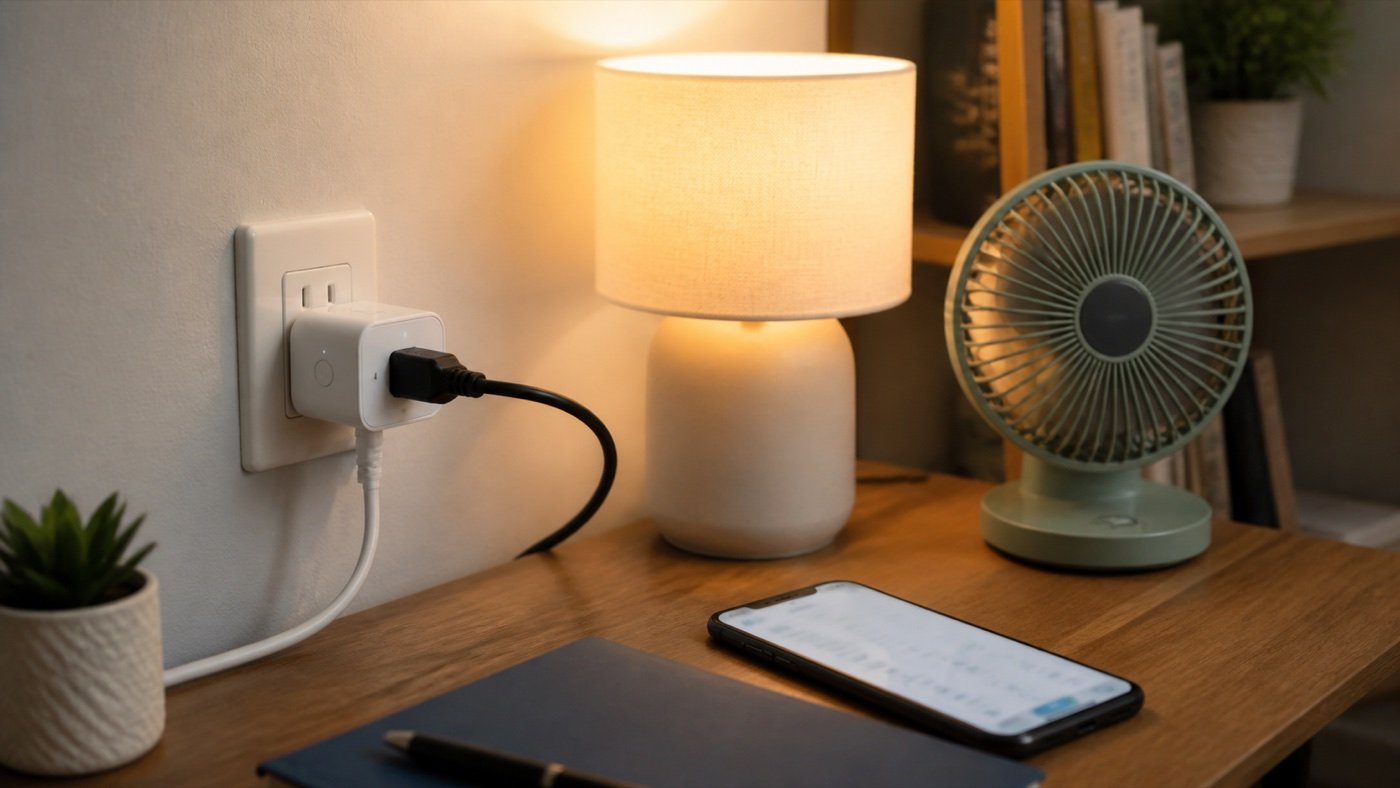
The Kasa Smart Plug Mini EP25P2 is worth buying if you want a compact smart plug that does more than basic on/off control. Its biggest advantage is the mix of Apple HomeKit support, Alexa and Google voice control, schedules, timers, and energy monitoring in a low-cost plug that does not need a separate hub.
It is not the simplest possible smart plug for every household. If your whole home already runs on Alexa and you do not care about energy data, the Amazon Smart Plug is still easier to understand. But if you want a smart plug that works across more ecosystems, can show power use in the Kasa app, and can handle lamps, fans, holiday lights, small appliances, and routine automation, the EP25P2 is one of the more useful Amazon smart-home buys to compare first.
Check Kasa Smart Plug Mini EP25P2 on Amazon
For comparison, read our Amazon Smart Plug review, Echo Spot review, and best smart locks on Amazon guide if you are building a broader smart-home setup.
The Short Answer
Buy the Kasa EP25P2 if you want a smart plug for Apple Home, Alexa, Google Assistant, Siri, or Samsung SmartThings, and you want to see how much power a connected device uses.
Skip it if you only need one Alexa-controlled plug and want the most frictionless Amazon setup possible. Also skip it for large appliances, outdoor use, 5GHz-only Wi-Fi networks, or anything that exceeds the plug’s rated load.
At the time of our Amazon front-end check on August 27, 2026, the EP25P2 listing showed as in stock at $21.99. That should be treated as a snapshot, not a permanent price. Always check the current listing, seller, coupon, return window, and delivery date before buying.
Who Should Buy It
- Apple Home users who want a lower-cost HomeKit-compatible plug.
- Alexa or Google Assistant users who also want energy monitoring.
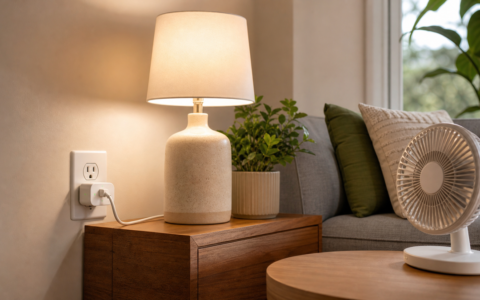
- Renters, dorm students, and apartment users who need automation without wiring.
- Anyone controlling lamps, fans, coffee makers, holiday lights, humidifiers, or small desk gear.
- Shoppers who want schedules and timers without committing to a full smart-home system.
Who Should Skip It
- Alexa-only buyers who want the simplest possible setup and do not need power-use data.
- Outdoor shoppers who need weather-rated smart plugs.
- Homes with only 5GHz Wi-Fi and no 2.4GHz network available.
- Buyers planning to control high-load appliances that should not be run through a small plug.
- People who dislike app accounts, cloud-connected controls, or voice assistants.
Specs That Actually Matter
| Feature | Why it matters |
|---|---|
| 15A / 1800W max load | Gives it enough headroom for many lamps, fans, and small household devices, but you still need to check the appliance rating. |
| Energy monitoring | Lets you see real-time and historical power use in the Kasa app. |
| Apple HomeKit support | Makes it more attractive for iPhone households than many basic Alexa-only plugs. |
| Alexa, Google Assistant, Siri, SmartThings | Works across more homes than a single-ecosystem plug. |
| 2.4GHz Wi-Fi | Common for smart-home gear, but a setup issue if your router is 5GHz-only or poorly separated. |
| No hub required | Keeps the first smart-home purchase simple. |
| Compact body | Helps avoid blocking the second outlet on a wall plate. |
The important part is not one spec by itself. It is the combination. A cheap plug that only turns a lamp on and off is easy to find. A compact plug with HomeKit support and energy monitoring is more useful because it can fit into more homes and answer a real question: which devices are quietly using power?
Setup And App Experience
Setup should be straightforward if your phone and the plug are on the right Wi-Fi network. The EP25P2 is designed for 2.4GHz Wi-Fi, which is normal for smart plugs but still worth checking before you buy. Some routers combine 2.4GHz and 5GHz under one network name, and that can occasionally make setup feel more annoying than it should.
The Kasa app is the main control center. It lets you turn the plug on or off, create schedules, set timers, and review energy use. If you only want voice control, you may not open the app often after setup. If you care about the energy-monitoring angle, the app becomes more important because that is where the usage data lives.
The best beginner setup is simple: connect one predictable device first. A bedside lamp, desk lamp, small fan, or decorative light is better than starting with a device that has complicated startup behavior. Once you know the plug responds reliably, then build a schedule or voice routine around it.
Energy Monitoring Is The Real Upgrade
Energy monitoring is the reason I would choose the Kasa EP25P2 over a basic smart plug. On/off control is useful, but it is not special anymore. Energy data makes the plug feel more practical because it can help you understand what a connected device is doing.
For example, you can use it to check whether a fan, lamp, humidifier, dehumidifier, air purifier, or holiday light setup is using more power than expected. It will not replace a full home energy monitor, and it should not be used as a lab-grade measuring tool. But for everyday decisions, it gives you more information than an Alexa-only plug.
This is especially useful in apartments and dorm rooms where you are trying to reduce waste or avoid leaving devices running all day. Pair it with a small room product such as a desk lamp, fan, or air purifier and the value becomes clearer.
If you are building a study or bedroom setup, our best desk lamps for dorm rooms guide is a good companion read because plug-controlled lamps are one of the easiest automations to get right.
Kasa EP25P2 vs Amazon Smart Plug
The Amazon Smart Plug is the easier pick if your home is built around Alexa and you only care about simple voice control. It is clean, simple, and easy to explain: plug it in, connect it to Alexa, and control a lamp or fan.
The Kasa EP25P2 is the more flexible pick. It supports Apple HomeKit, Alexa, Google Assistant, Siri, and SmartThings, and it includes energy monitoring. That makes it better for mixed-device homes, Apple households, or shoppers who want a plug that can grow with a broader setup.
Here is the practical decision:
| Choose this | Best fit |
|---|---|
| Kasa EP25P2 | You want HomeKit support, energy monitoring, and wider assistant compatibility. |
| Amazon Smart Plug | You want the simplest Alexa-first smart plug and do not need power-use data. |
The Kasa is the smarter buy for feature depth. The Amazon plug is the easier buy for Alexa-only simplicity.
Best Uses
The EP25P2 works best with devices that have a physical on/off state and behave predictably when power returns.
Good uses include:
- Bedside lamps
- Desk lamps
- Small fans
- Holiday lights
- Decorative lights
- Coffee makers with physical switches
- Humidifiers that safely resume after power cycling
- Simple charging stations that you want on a schedule
Use more caution with heaters, high-load appliances, medical devices, refrigerators, pumps, and anything where unexpected shutoff or startup could create a safety issue. A smart plug should make a routine easier, not add risk.
Smart-Home Routine Ideas
The most useful smart-plug routines are boring in the best way.
Set a lamp to turn on before your morning alarm. Turn a fan off after you fall asleep. Shut down decorative lights at midnight. Cut power to a desk setup after work. Turn on a reading lamp with a voice command. Check whether a device was left on from the Kasa app when you are away.
If you use Alexa, the EP25P2 pairs naturally with a small smart speaker or display. Our Echo Spot review covers that kind of bedroom and dorm-room voice-control setup. If you are expanding beyond plugs, our best smart locks on Amazon guide covers a different part of the smart-home buying path.
What I Like
The strongest thing about the EP25P2 is that it does not feel locked into one ecosystem. Apple HomeKit support is the headline feature for many buyers, but Alexa and Google support keep it useful in shared households where not everyone uses the same assistant.
The compact body is another practical win. A smart plug that blocks the other outlet is instantly annoying. The EP25P2 is designed to stay relatively slim, which matters when you are using it in a dorm, apartment, kitchen, or crowded home office.
Energy monitoring also adds a reason to keep using the app after setup. Many smart plugs become invisible once the schedule is created. This one can still tell you something useful.
What Could Be Better
The biggest limitation is the usual smart-plug limitation: Wi-Fi setup can still be the least fun part. If your router setup is messy, you may spend more time than expected getting the plug connected to the right 2.4GHz network.
The second limitation is that energy monitoring is useful but not magic. It can help you compare everyday devices, but it does not turn the plug into a whole-home electricity dashboard.
Finally, this is an indoor smart plug. Do not buy it for patios, garages, wet areas, or outdoor holiday lights unless the current listing and manual specifically match that use case. For outdoor automation, buy an outdoor-rated smart plug instead.
Price And Deal Advice
Because smart plugs are frequently discounted, the right price matters. At around the low-$20 range for a 2-pack, the EP25P2 is compelling because the feature set is stronger than many basic plugs. At a much higher price, compare it against Meross, Eve, Tapo, and Amazon’s own plug before checking out.
Do not buy only because a coupon is visible. Check the final checkout price, exact pack size, model number, seller, return window, and whether the listing is for EP25P2 rather than a similar Kasa plug without the same feature mix.
Check current Kasa EP25P2 price on Amazon
Final Recommendation
The Kasa Smart Plug Mini EP25P2 is one of the better smart plugs to shortlist if you want more than basic Alexa control. The combination of HomeKit support, multiple voice assistants, schedules, timers, compact design, and energy monitoring gives it a stronger everyday reason to exist.
Buy it if you want a flexible indoor plug for lamps, fans, lights, and small routines. Skip it if your needs are Alexa-only, outdoor-rated, 5GHz-only, or tied to a high-load appliance. For most smart-home beginners, it is a small upgrade that can make a room feel more automated without making the setup feel too serious.
FAQ
Is the Kasa EP25P2 worth it?
Yes, the Kasa EP25P2 is worth it if you want a compact smart plug with energy monitoring, Apple HomeKit support, Alexa, Google Assistant, Siri, and scheduling. It is more flexible than many basic smart plugs.
Does the Kasa EP25P2 work with Apple HomeKit?
Yes, the EP25P2 listing and official product page position it as Apple HomeKit compatible. For remote Apple Home control, make sure your Apple Home setup meets the current requirements.
Does the Kasa EP25P2 need a hub?
No, the EP25P2 is designed to connect over Wi-Fi without a separate hub.
Does the Kasa EP25P2 support 5GHz Wi-Fi?
No, this type of Kasa smart plug is designed for 2.4GHz Wi-Fi. Check your router setup before buying.
Is the Kasa EP25P2 better than Amazon Smart Plug?
It is better if you want HomeKit support, energy monitoring, and wider assistant compatibility. Amazon Smart Plug is better if you only use Alexa and want the simplest setup.
Can I use the Kasa EP25P2 outdoors?
No, treat it as an indoor smart plug unless the exact listing and manual say otherwise. For patios or outdoor lights, choose an outdoor-rated smart plug.
Quick Amazon Shopping Link
Use this tracked Amazon U.S. product link to check the current listing, seller, coupon, pack size, color, and availability before buying.
By Kevin; Accgo doesn’t simply review products—we look at whether they genuinely make everyday life easier.