As an Amazon Associate, ACCGO may earn from qualifying purchases. Prices, coupons, sellers, colors, sizes, bundles, and availability can change at any time.
Top Picks
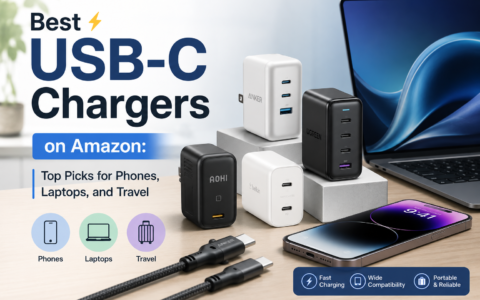
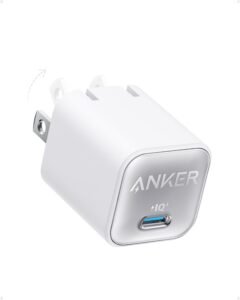
1. Anker Nano 30W USB-C ChargerPhone and tablet charging. A tiny wall charger for phones, tablets, earbuds, and travel bags.
Check current Amazon listing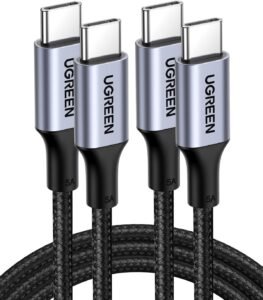 2. UGREEN 100W USB-C Cable
Laptop-capable charging cable. A high-wattage USB-C cable for compatible chargers, laptops, tablets, and power banks.
Check current Amazon listing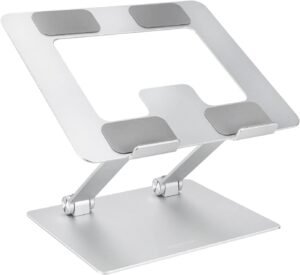 3. Lamicall Adjustable Laptop Stand
Desk posture. A simple desk upgrade for raising a laptop screen during work, school, or video calls.
Check current Amazon listing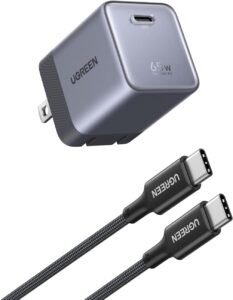 4. Anker Nano II 65W USB-C Charger
Laptop travel charging. A stronger compact charger class for USB-C laptops, tablets, and multi-device bags.
Check current Amazon listing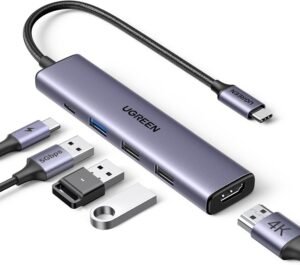 5. UGREEN Revodok 105 5-in-1 USB-C Hub
Laptop ports. A compact hub for HDMI, USB accessories, and desk or travel connectivity.
Check current Amazon listing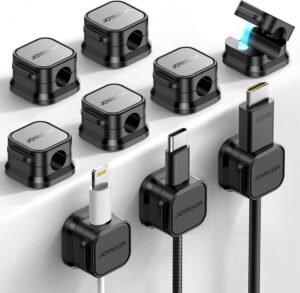 6. JOYROOM 9-Pack Magnetic Cable Clips
Cable management. Small desk clips for keeping charging cables from sliding behind a table or nightstand.
Check current Amazon listing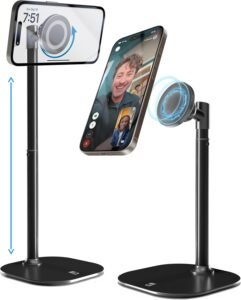 7. COOPER MagStand
Phone stand and charging setup. A magnetic stand style accessory for desks, nightstands, and video-call positioning.
Check current Amazon listing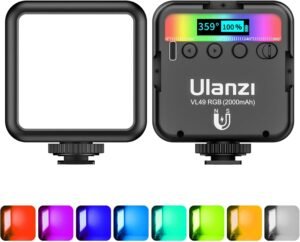 8. ULANZI VL49 RGB Video Light
Creator lighting. A pocketable RGB light for product photos, video calls, thumbnails, and small creator setups.
Check current Amazon listing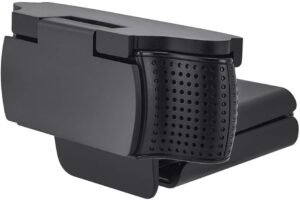 9. CloudValley Webcam Cover
Laptop privacy. A low-cost privacy accessory for laptops, monitors, and shared work machines.
Check current Amazon listing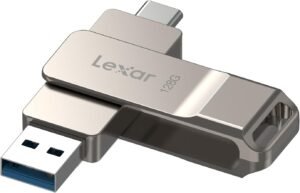 10. Lexar USB-C Flash Drive
Portable storage. A small storage add-on for moving files between USB-C laptops, tablets, and phones.
Check current Amazon listingQuick Amazon Shopping Links
Use these tracked Amazon U.S. product links to check the current listing, seller, coupon, color, bundle, and availability before buying.
Quick Answer
The best Amazon tech accessories under $50 are the boring tools you use every week: a smaller charger, a better USB-C cable, a laptop stand, a USB-C hub, cable clips, a phone stand, a tiny video light, a webcam cover, and a compact flash drive.
This guide is built for practical U.S. shoppers. The picks below focus on compatibility, everyday use, desk organization, travel convenience, and direct Amazon product pages rather than broad search results.
Comparison Table
| Pick | Best For | Check Before Buying |
|---|---|---|
| Anker Nano 30W | Phone and tablet charging | Wattage, plug size, and cable compatibility |
| UGREEN 100W USB-C Cable | Laptop-capable charging | Cable length, wattage rating, and data needs |
| Lamicall Laptop Stand | Desk posture | Laptop size, height, and keyboard setup |
| Anker Nano II 65W | Travel laptop charging | Laptop wattage needs and port count |
| UGREEN Revodok 105 | Laptop ports | HDMI resolution, USB-A needs, and power passthrough |
| JOYROOM Cable Clips | Desk cable control | Adhesive surface and cable thickness |
| COOPER MagStand | Phone positioning | Phone case and magnetic compatibility |
| ULANZI VL49 RGB | Creator lighting | Mounting, battery, color controls, and brightness |
| CloudValley Webcam Cover | Privacy | Thickness and laptop lid clearance |
| Lexar USB-C Flash Drive | Portable files | Capacity, connector type, and device support |
1. Anker Nano 30W USB-C Charger
Anker Nano 30W is the simple charging upgrade for phones, tablets, earbuds, and travel bags. It is small enough to leave in a backpack but useful enough to replace a weak old charger.
Check Anker Nano 30W on Amazon
2. UGREEN 100W USB-C Cable
A 100W-rated USB-C cable is useful if you charge laptops, tablets, power banks, or higher-draw USB-C gear. Just remember that the cable, charger, and device all need to support the speed you expect.
Check UGREEN 100W USB-C Cable on Amazon
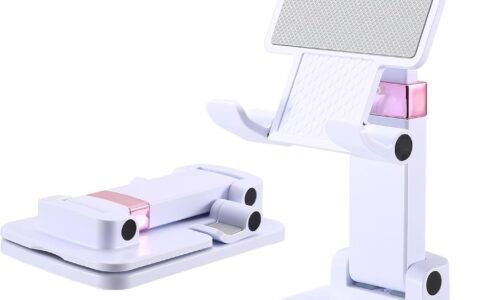
3. Lamicall Adjustable Laptop Stand
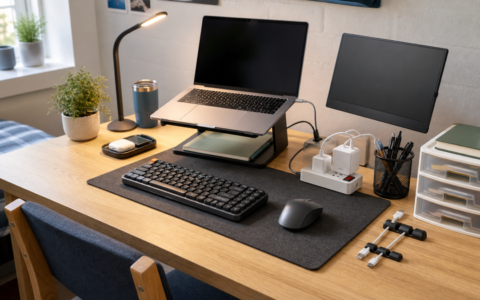
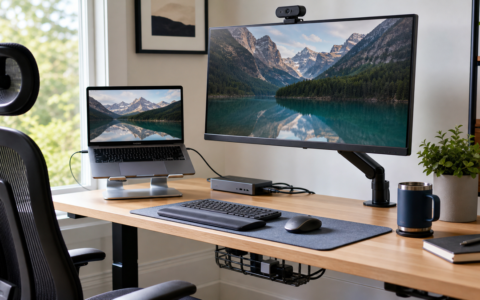
The Lamicall stand is a desk-comfort pick. Raising the screen can make a laptop setup feel less cramped, especially when paired with an external keyboard and mouse.
Check Lamicall Adjustable Laptop Stand on Amazon
4. Anker Nano II 65W USB-C Charger
A compact 65W charger is the better travel choice for many USB-C laptops. It can reduce bag clutter when you do not want to carry a full-size power brick.
Check Anker Nano II 65W on Amazon
5. UGREEN Revodok 105 5-in-1 USB-C Hub
The UGREEN Revodok hub is the pick for thin laptops with too few ports. HDMI, USB-A, and passthrough-style connectivity can make a portable laptop feel more like a desk machine.
Check UGREEN Revodok 105 on Amazon
6. JOYROOM 9-Pack Magnetic Cable Clips
Cable clips are not exciting, but they fix an annoying desk problem fast. They keep charging cables from slipping off nightstands, desks, and side tables.
Check JOYROOM Cable Clips on Amazon
7. COOPER MagStand
COOPER MagStand is useful for keeping a phone visible during work, cooking, calls, or bedside charging. Check case compatibility before buying because magnetic accessories depend heavily on the case and phone setup.
Check COOPER MagStand on Amazon
8. ULANZI VL49 RGB Video Light
The ULANZI VL49 RGB light is a small creator tool that can improve video calls, product photos, thumbnails, desk shots, and short-form content. It is more flexible than relying only on ceiling lights.
Check ULANZI VL49 RGB on Amazon
9. CloudValley Webcam Cover
The CloudValley webcam cover is a low-cost privacy accessory for laptops and monitors. The key buying check is thickness, especially on slim laptops where the lid clearance is tight.
Check CloudValley Webcam Cover on Amazon
10. Lexar USB-C Flash Drive
A USB-C flash drive is still useful for moving files between laptops, tablets, phones, printers, and shared work machines. Check capacity and connector compatibility before ordering.
Check Lexar USB-C Flash Drive on Amazon
How To Choose Tech Accessories Under $50
Start with your most repeated annoyance. If your phone charges slowly, buy the charger. If your desk is messy, buy cable clips or a hub. If video calls look dull, buy a small light. Accessories are best when they remove friction from something you already do.
For related buying intent, compare our Amazon device deals guide, best portable monitors on Amazon, and Beats Studio Pro review.
Bottom Line
The safest tech buys under $50 are practical upgrades with clear compatibility: chargers, cables, stands, hubs, cable management, lighting, privacy, and storage. Check live Amazon details for exact wattage, length, ports, capacity, seller, coupon, and return terms before buying.
FAQ
What are the best Amazon tech accessories under $50?
The best options are practical add-ons such as USB-C chargers, cables, laptop stands, USB-C hubs, cable clips, phone stands, video lights, webcam covers, and flash drives.
Are cheap tech accessories worth buying?
They are worth buying when compatibility is clear and the product fixes a repeated daily annoyance. Avoid accessories with vague specs or missing model details.
What should I check before buying a USB-C charger or cable?
Check wattage, cable rating, connector type, device support, safety certifications, length, and whether your device can use the advertised charging speed.
Should every tech accessory be under $50?
No. Under $50 is ideal for small accessories, but monitors, headphones, power stations, and larger gear often need a bigger budget.
By Jessica Borga; Accgo doesn’t simply review products—we look at whether they genuinely make everyday life easier.